Install Attestsys
The Tamper-Evident Audit Log for Jira installs from the Atlassian Marketplace in under two minutes. No credit card required for the free tier.
Get it on the Atlassian Marketplace →Install from the Atlassian Marketplace
- Open the listing on the Atlassian Marketplace (or search the Marketplace for Tamper-Evident Audit Log).
- Click Get it now and pick your Jira site — you need site-admin permission.
- Click Install.
- Approve the requested Jira permissions (
read:jira-work,read:jira-user) when prompted. - The app appears in every Jira project's sidebar as Audit Log.
What happens at install time
- Your Jira workspace is registered as an Attestsys tenant on EU-hosted infrastructure (Hetzner Cloud, Nuremberg, Germany).
- A per-workspace ECDSA P-256 signing key is generated inside the backend KMS. The private key never leaves the KMS.
- An HMAC ingestion credential is provisioned for the Forge → backend bridge.
- The first Jira event captured starts the hash chain. Genesis is a 32-byte all-zeros sentinel; from then on, every entry chains to the previous.
What does NOT happen
- No Jira issue content is read beyond what the standard Jira event webhook payload contains.
- No data is transferred outside the EU.
- No personal data is collected from the website (no cookies, no Google Analytics, no third-party trackers — see Privacy Policy).
After install
-
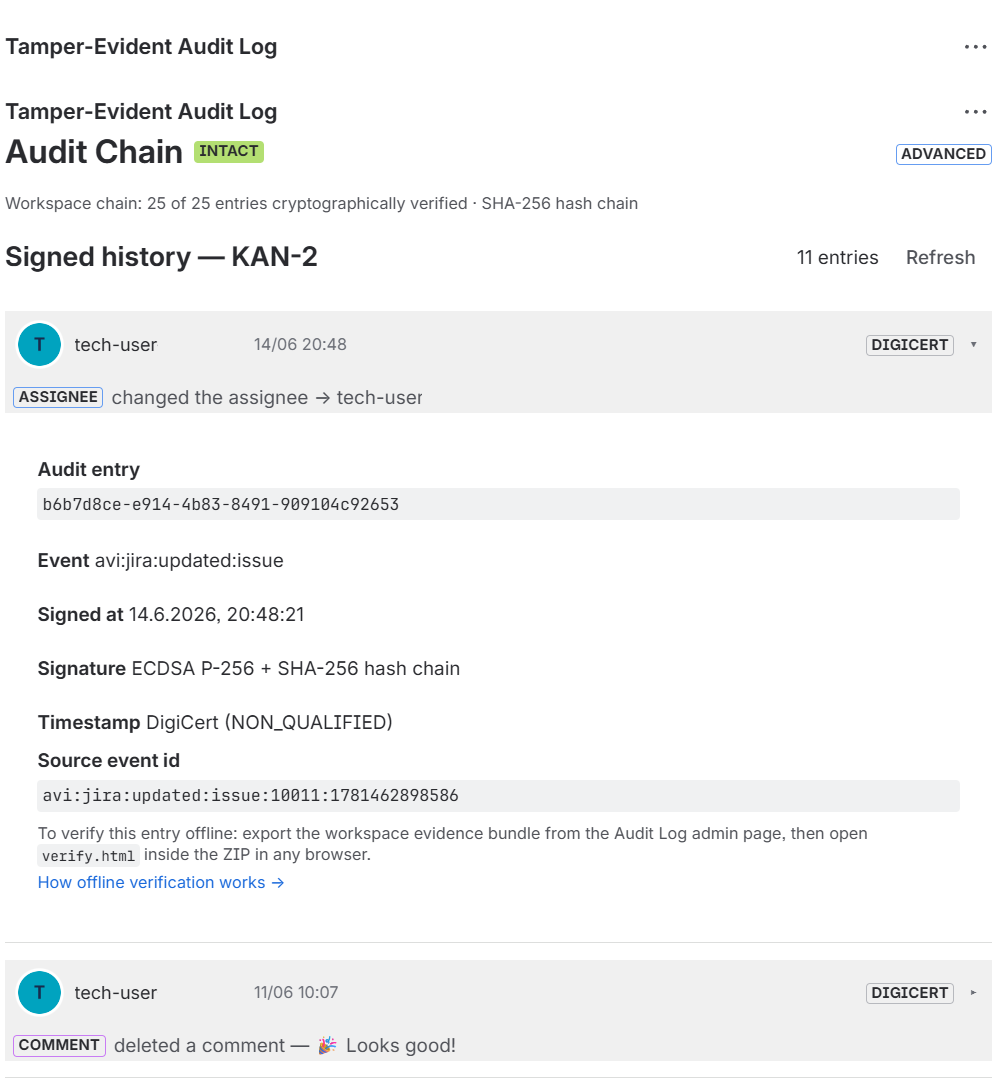
Open any Jira issue — the Audit Log issue panel shows the per-issue signed history.
-
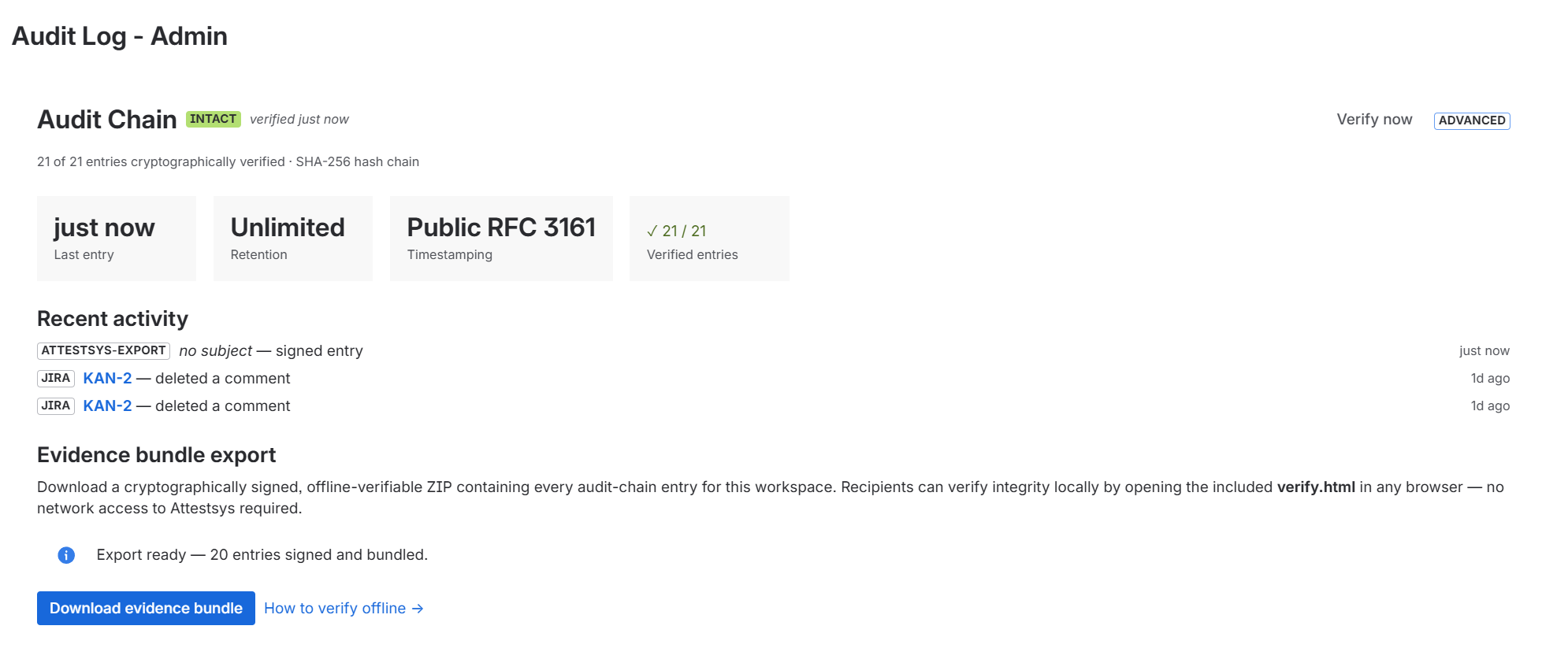
Open any project — the Audit Log project page shows the workspace-wide chain status, retention, and an export button.
-
Click Download Evidence Bundle to generate your first signed ZIP. Open
verify.htmlinside the ZIP in any browser to verify it offline — or try the verifier on a sample bundle first.
Requirements
- A Jira Cloud workspace (the apps run on Atlassian Forge, which is Cloud-only).
- Site-admin or project-admin permission to install Marketplace apps.
- A modern browser (Chrome, Firefox, Safari, Edge — all evergreen versions) for the in-product UI and for
verify.html.
Need help?
- Documentation for the Tamper-Evident Audit Log
- Troubleshooting for common issues
- Email support@attestsys.com
- For Enterprise / sales: sales@attestsys.com
EU-hosted (Hetzner Cloud, Nuremberg) · GDPR-aligned · RFC 3161 timestamped